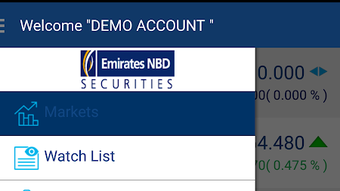

Download eBroker Mobile APK – mobile trading app, investment tools, real-time market data, portfolio tracking, trade execution, financial management, secure investment app
Overview
eBroker Mobile is a free Android application developed by Emirates NBD, designed to empower users with the tools and information needed to make informed financial decisions. The app serves as a comprehensive platform for managing investments, offering real-time access to market data, asset pricing, and volatility trends. It is tailored for individuals seeking to monitor and manage their portfolios, execute trades, and stay updated on financial market movements from their mobile devices. The target audience includes retail investors, active traders, and anyone interested in taking a more hands-on approach to personal financial management.
By providing instant access to market information, the app enables users to respond quickly to changing conditions and make timely investment decisions. Whether tracking the performance of individual assets or reviewing overall portfolio health, eBroker Mobile aims to support users in maximizing their investment opportunities. The application is available at no cost through the Google Play Store, making it accessible to a broad audience. It is particularly suited for users who prefer managing their finances on the go, integrating investment activities seamlessly into their daily routines.
Key Features & Capabilities
- Real-time market data – Access up-to-the-minute information on asset prices, market trends, and volatility, allowing users to make informed decisions based on current conditions.
- Portfolio tracking – Monitor the performance of your investments in real time, view asset allocation, and assess overall portfolio health with detailed analytics.
- Trade execution – Place buy and sell orders directly from the app, enabling quick action during market movements without the need for a desktop platform.
- Account management – View account balances, transaction history, and investment details from a centralized dashboard.
- Financial management tools – Utilize built-in features to organize and manage investment activities, set alerts, and track long-term financial goals.
These features are designed to streamline the investment process, reducing the time between insight and action. For example, a user can identify a market trend during a commute, analyze asset performance within the app, and execute a trade before returning home. This workflow supports active engagement with financial markets, especially for users with limited time for desktop-based analysis.
User Interface, Workflow & Performance
The user interface of eBroker Mobile is structured to prioritize clarity and accessibility, with intuitive navigation that allows users to move between key functions such as market data, portfolio overview, and trade execution. The layout emphasizes real-time information display, with visual indicators for price changes and performance metrics. Users can customize their dashboard to focus on the data most relevant to their investment strategy.
Workflow efficiency is enhanced through direct access to critical tools from the home screen, minimizing the number of taps required to complete common tasks. The app maintains a responsive interface, with smooth transitions between screens and consistent loading times for data updates. The developer did not specify resource usage details, so performance behavior in terms of CPU and RAM consumption remains general. However, the application’s size of 28.5 MB suggests a lightweight footprint, which may contribute to efficient operation on a range of Android devices.
Compatibility & System Requirements
eBroker Mobile is designed for Android devices and is compatible with the latest versions of the operating system. The current version is 3.1.1, released on April 17, 2024. The app has a file size of 28.5 MB, which indicates a compact installation package. This suggests it is optimized for devices with moderate storage capacity.
Exact system requirements were not listed by the developer. Compatibility with older Android versions is not confirmed. Users are advised to ensure their device meets the minimum requirements for running the latest Android OS. The app is available exclusively through the Google Play Store, which ensures a secure distribution channel and automatic update functionality.
Pros and Cons
Pros
- Free to download and use, reducing entry barriers for new investors.
- Provides real-time market data and portfolio tracking for informed decision-making.
- Enables direct trade execution from a mobile device.
- Lightweight installation size of 28.5 MB.
- Developed by a reputable financial institution, Emirates NBD.
Cons
- Available only on Android, limiting access for iOS users.
- Exact system requirements and hardware specifications were not provided.
- Limited to the Google Play Store distribution, which may affect availability in certain regions.
- No information on offline functionality or data synchronization.
FAQ Section
Is eBroker Mobile available for iOS devices?
eBroker Mobile is currently available only for Android devices. There is no official iOS version available at this time.
Is the app safe to use?
The app is developed by Emirates NBD and distributed through the Google Play Store, which provides a secure environment for app downloads. Users are advised to download only from official sources.
How often does the app update?
Updates are released periodically by the developer. The latest version, 3.1.1, was published on April 17, 2024. Automatic updates are enabled through the Google Play Store.
Can I use eBroker Mobile without an internet connection?
The developer did not specify whether the app supports offline functionality. Most features, especially real-time data and trade execution, require an active internet connection.
What type of license does eBroker Mobile have?
The app is free to download and use. It operates under a proprietary license, with access granted by the developer, Emirates NBD.
Final Thoughts + CTA
eBroker Mobile stands out as a reliable and accessible tool for Android users seeking to manage their investments on the go. With real-time market data, portfolio tracking, and direct trade execution, it delivers a robust mobile experience tailored to active investors. The app’s lightweight design and free availability make it an attractive option for individuals looking to enhance their financial management without additional costs.
While the lack of iOS support and limited system requirement details are notable drawbacks, the app’s association with Emirates NBD adds credibility and trust. For users already engaged with the bank’s services, eBroker Mobile offers a seamless extension of their financial ecosystem.
Download eBroker Mobile now to take control of your investments anytime, anywhere.







